Microsoft Foundry Updates at Microsoft Ignite 2026
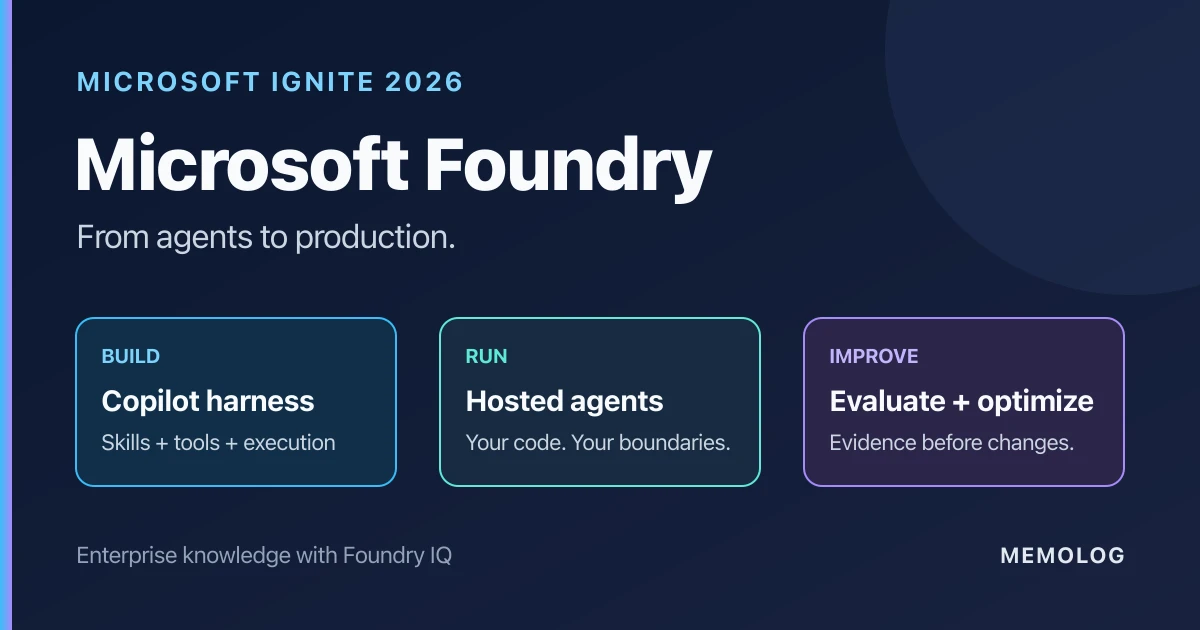
While following the Microsoft Foundry announcements at Microsoft Ignite 2026, I was more interested in how enterprises will run, evaluate, and improve agents than in the new models alone.
Microsoft Copilot harness manages the execution loop. Hosted agents run your code with controls for networking, certificates, and recovery. Foundry IQ supplies the knowledge agents need to ground their work. Together, these announcements give a clearer picture of where Foundry is heading.
This article groups the official announcements into seven areas, with links to specific documentation and videos. It closes with a comparison of Microsoft 365 Copilot, Copilot Studio, and Microsoft Foundry to help developers and architects decide when to choose Foundry.
For the broader strategy, see my Ignite 2026 keynote summary. This article is based on research into official materials, not hands-on testing of the preview features. It is not a tested deployment walkthrough.
Table of Contents
- Key takeaway: From model selection to continuous improvement in production
- The updates in seven areas
- Continuous improvement: Turn observed failures into evaluated changes
- Copilot harness: Delegate the execution loop
- Voice and action tools: From answers to execution
- Hosted agents: Address barriers to production
- Foundry IQ: From search to organizational knowledge
- Models and training: More choices and ways to run
- Developer tools: Connect local development and operations
- Official videos for the bigger picture
- Conclusion: When to choose Foundry
Key takeaway: From model selection to continuous improvement in production
My reading of these announcements is that Foundry is becoming a foundation for agent execution, knowledge, governance, and improvement—not just a model catalog. That is my interpretation of the announcements as a whole.
The official Foundry announcement also centers on continuous improvement: define quality standards, identify problems, evaluate proposed changes, and keep observing after release.
Three areas stood out to me as especially relevant to implementation:
- Copilot harness: How much of the shared execution logic connecting models and tools can you delegate?
- Hosted agents: Can you run your code within enterprise networking and security requirements?
- Foundry IQ: Can agents retrieve the knowledge they need while preserving permissions and source attribution?
Not everything is generally available. Distinguish released features, previews, and planned releases before making an adoption decision.
The updates in seven areas
This summary is based on the official Ignite announcements. I rechecked the related materials on November 27, 2026. GA means general availability; Public Preview means public preview. Check availability for each feature, not just for the product as a whole.
| Area | Key updates | Availability and caveats |
|---|---|---|
| Continuous improvement and Agent Optimizer | Use traces and expert feedback to improve evaluations, instructions, skills, and model selection | Agent Insights, multi-turn evaluation, and Agent Optimizer itself are GA. Trace annotations, launching optimization from Insights, and skill optimization are in preview. Cost optimization is in Public Preview |
| Microsoft Copilot harness | Microsoft operates the execution loop and sandbox | Public Preview. First announced October 28 |
| Voice and action tools | Voice agents, Computer use, Browser automation, A2A tool | Each feature is GA. Some capabilities, including private-network connectivity for the browser, remain in preview |
| Hosted agents | Shared subnet IPs, network controls, recovery for long-running work, faster startup | Shared IPs, egress controls, and recovery are GA. Snapshots, Private CA trust, and Azure Policy governance are in Public Preview |
| Foundry IQ | Azure AI Search renamed; Knowledge graphs, Microsoft Retriever 1, SharePoint integration | Graphs and Retriever are in Public Preview. Permission-aware indexed SharePoint integration is GA |
| Models and training | Expanded Model router support, additional models, Programmed Training | Model router version 2025-11-18, the default for new deployments, is generally available. Auto, Messages API support, and per-request routing controls are in preview. Programmed Training is a Public Preview requiring access approval |
| Developer tools | Foundry Dev Pack installs the CLI, Skill, and editor tools | Dev Pack is GA. The CLI itself reached GA on November 5 |
The primary sources are the Book of News, the Microsoft Foundry update roundup, and the Foundry Agent Service update roundup. The sections below connect the announcements to documentation for using each capability.
Continuous improvement: Turn observed failures into evaluated changes
Agent Optimizer goes beyond a one-time prompt adjustment. The goal is to use production failures and expert judgment to evaluate and improve the next version.
| Feature | What it does | Adoption considerations |
|---|---|---|
| Insights | Groups recurring problems in production traces and presents evidence and possible causes | Start with the highest-impact problems |
| Trace annotations | Lets experts record successes, failures, and expected behavior | Record the desired outcome, not just a negative rating |
| Skill optimization | Creates reusable skills or revisions from past conversations and feedback | Review the generated content and version before adopting it |
| Cost optimization (Public Preview) | An Agent Optimizer feature that evaluates whether candidates such as smaller models can lower costs while meeting quality criteria | Consider task success and retries, not just model prices |
For example, suppose a support agent recommends a procedure that the customer’s contract does not cover. You could improve its skill to specify what to check first. This is an illustrative example.
Improving a skill is not the same as retraining a model. Skill changes improve procedures and instructions; they are distinct from fine-tuning, which updates model weights.
Think of continuous improvement as a loop: Observe → Evaluate → Optimize → Validate → Deploy. Use production traces to identify problems, measure the current version against quality criteria using evaluation data, and generate candidates such as changes to instructions, skills, or model configurations. Compare the candidates with the current version on quality, cost, and latency. Carry only the changes you approve into the next version, then resume monitoring after deployment.
| Feature | What it handles | What it does not do |
|---|---|---|
| Microsoft Copilot harness | Coordinates models and tools during task execution and manages the working context | Does not automatically select the cheapest model |
| Model router | Selects a model for each inference request | Does not control the agent’s overall workflow |
| Agent Optimizer | Compares proposed improvements with the current configuration in evaluation jobs | Does not automatically change production settings |
| Agent Optimizer’s Cost optimization | Evaluates candidate model configurations against quality and cost criteria | Does not manage Azure budget limits |
Where to start
To optimize skills from traces, open the agent in the Foundry portal and select Optimize → Learn from past activity. Specify the target version, trace time range and sample count, evaluation data, and evaluation criteria, then review the proposed changes.
A successful job does not necessarily produce a better agent. A completed candidate may perform worse than the current version. Compare quality, token usage, latency, and other metrics, and reject candidates that do not meet your criteria. Generating a proposed improvement does not automatically switch production to it.
Even if you never promote a candidate to production, evaluation can run connected tools that write data or send external notifications. For both standard optimization and optimization initiated from Insights, point tools that need write access at isolated test resources and scope their credentials to those resources. Mock or disable notifications and similar actions. Use read-only permissions when reads are enough. Evaluations also incur costs, so check the number of evaluation records and candidates before running a job, and review the cost estimate if the portal shows one.
For trace-based skill optimization, Prompt/Managed agents support on-demand before-and-after evaluation and candidate promotion. Hosted/external agents instead require you to explicitly incorporate a generated, published skill version. The available operations differ by agent type.
- Announcement: Continuous improvement overview
- Evaluation side effects and costs: Agent Optimizer overview
- How-to: Optimize skills from traces
- Configuration comparison: Optimize instructions, skills, tools, and models
- Observability: Agent Insights
Copilot harness: Delegate the execution loop
Calling a model does not, by itself, complete a multistep task. An execution loop must process search results, inspect files, choose the next tool, and assemble the result.
Microsoft Copilot harness lets Foundry operate that execution loop and sandbox. Developers define instructions, skills, tools, and a supported model. In Foundry, you select it as the runtime for a Prompt agent, not as a Hosted agent.
| What developers provide | What the harness handles |
|---|---|
| Instructions defining goals, prohibited actions, and completion criteria | Orchestrating model and tool calls |
| Skills describing reusable business procedures | Managing task context and the workspace |
| Supported tools or MCP connections configured with authentication and approval requirements | File operations and command execution in a managed environment |
| Model selection and evaluation criteria | Delegating work to built-in Subagents, when enabled |
Consider a research agent asked to find official Ignite announcements and tabulate announcement dates, release states, limitations, and source URLs. Its skills could require official sources, date verification, and a clear distinction between GA and planned releases. Connect a search tool, and you can focus more on the research procedure and evaluating its results than on building a runtime.
That does not guarantee sound business decisions. You still need to prevent external content from being treated as instructions, limit permissions, and require approval for consequential actions.
Try it in the portal first
- In a Foundry project in a supported region, provision a model that supports reasoning and tool calling.
- Select Create an agent, then Use the Microsoft Copilot harness.
- Configure Instructions and a Skill created in the same project.
- For research, add Web search. The built-in Web tool fetches URLs; it does not perform searches.
- Enable only the Harness tools you need, then select Save and start new chat.
- Test in Playground and inspect traces to see which skills and tools were actually used.
From an application, create a conversation and call the agent-specific Responses endpoint. In the initial Public Preview, you must select the harness when creating a new agent. Switching an existing agent to it and BYOM are not supported.
The preview comes with no SLA, and Microsoft does not recommend it for production workloads. The harness is available in fewer regions than standard prompt agents and requires a model that supports both reasoning and tool calling. Check the supported regions and limits and prerequisites to confirm that the model and features you need are available in your project’s region.
Shell permits a broad range of operations. Disabling file or Web tools does not strictly prohibit those operations if Shell remains enabled.
The workspace and file storage serve different purposes
The workspace is where the agent works; Foundry Files transfers and stores input and output files. Foundry Files is separate from Azure Files file shares. It uses file IDs to manage and retrieve uploaded files and generated outputs.
For an attached CSV that the agent analyzes and turns into a chart, the responsibilities look like this:
Workspace state survives normal idle/resume cycles, but the workspace is not permanent output storage. Writing a file with File system write does not save it to Foundry Files. To upload a downloadable output, the agent’s identity needs the Foundry User role in the target project.
Foundry Files does not imply indefinite retention either. Account for retention periods and deletion; outputs that need long-term storage can be exported to a destination such as Azure Blob Storage. File Search is a separate capability that indexes files to retrieve relevant information. It is not required to process ordinary attachments.
- File input/output and permissions: Exchange files with the harness
- Storage, retrieval, and deletion APIs: Files API
Copilot harness was announced for Foundry on October 28, not at Ignite. According to the announcement checked on November 23, 2026, usage-based billing for the harness runtime is scheduled to begin December 1. Model inference and separately billed tools or connected services still incur charges before that date.
- Announcement and planned billing start: Microsoft Copilot harness in Foundry Agent Service
- Setup and limitations: Use Copilot harness with Prompt agents
- Example: Web research agent quickstart
Voice and action tools: From answers to execution
Voice agents, Browser automation, Computer use, and A2A tool are now GA, expanding how agents interact with users and other systems.
| Feature | Use case | Documentation |
|---|---|---|
| Voice agents | Real-time spoken guidance and support | Configure a voice agent |
| Browser automation | Work through a web application’s UI when no suitable API exists | Browser automation setup and limitations |
| Computer use | Operate an application’s UI with supported models and tools | Use Computer use |
| A2A tool | Delegate work to A2A-compatible agents inside or outside Foundry | Agent-to-Agent tool |
Browser automation includes Live View, Take control, and recording so people can observe and intervene. Some capabilities, including access to applications in private VNets, remain in preview. For A2A, the calling tool’s GA status is distinct from the release status of A2A endpoints on Hosted agents.
If a suitable API exists, you do not need to start with UI automation. Design permissions and approvals around the risk of unintended actions and the impact of UI changes. These tools are not supported unconditionally across every model or harness.
Toolboxes lets agents reuse shared capabilities, such as tools, through MCP endpoints. This reduces the need to recreate the same connection settings for each agent.
See the official Tools and Toolboxes announcement for the full announcement and feature-specific availability.
Hosted agents: Address barriers to production
Hosted agents are an option when you need your own framework, execution loop, or dependencies. You retain control of the code and delegate hosting to Foundry.
These updates struck me as practical steps toward closing the gap between a working demo and an agent you can operate in an enterprise environment.
| Adoption challenge | Update | Availability |
|---|---|---|
| More sessions exhaust subnet IP addresses | Shared subnet IPs, with per-session VM isolation preserved | GA |
| Code and libraries need outbound network restrictions | Network egress controls enforced outside the sandbox | GA |
| APIs or MCP services use certificates issued by an internal CA | Private CA trust | Public Preview |
| The organization requires approved network settings | Azure Policy governance for egress settings | Public Preview, initially limited to certain regions |
| Crashes or redeployments interrupt long-running work | Opt-in Resilient execution | GA |
| Heavy initialization slows agent startup | Memory snapshots | Public Preview |
| You want to manage the runtime on your own AKS infrastructure | Deployment to your own AKS cluster | Public Preview planned for early December |
Prompts are not network controls
Telling an agent not to connect to other hosts does not establish a network boundary. Its code, dependencies, and generated code may all initiate connections.
Egress controls enforce destination rules outside the agent’s sandbox. They deny access when a rule cannot be evaluated and work alongside existing controls such as Azure Firewall.
Start by running representative tasks in Audit mode, review the recorded destinations, then move to Enforce. Audit allows traffic that the rules would deny, so it does not mean blocking is active. Running sessions retain the policy they started with; check which sessions receive the changes after you deploy a new version.
Recovery and snapshots do not replace state persistence
Resilient execution reruns a handler after an interruption. Developers remain responsible for saving progress and preventing duplicate side effects, such as sending an email or creating a record twice.
Memory snapshots reuse an initialized startup state; they do not capture an entire task in progress. With snapshots enabled, local files and process memory do not persist across idle suspend/resume cycles. Store required state externally.
Deployment to your own AKS cluster retains the Foundry development and invocation experience while putting the cluster, networking, and capacity under your control. The responsibility boundary differs from the fully managed offering: you still have to operate AKS.
- Announcement, GA features, and planned releases: Hosted agents at Ignite 2026
- Network controls: Hosted agent guardrails
- Certificates: Connect to services using a private CA
- Organizational governance: Manage egress with Azure Policy
- Recovery: Long-running agent resilience
- Faster startup: Memory snapshot configuration and limitations
Foundry IQ: From search to organizational knowledge
The name change also seems to reflect this direction. Azure AI Search has been renamed Foundry IQ, officially styled Foundry IQ (Azure AI Search).
The rename does not require replacing or migrating existing services. Endpoints, SDK package names, Microsoft.Search/searchServices, existing indexes, and integrations remain unchanged.
Is Foundry IQ in Microsoft IQ a different product?
No. It is the same service, viewed either as Azure’s search and knowledge retrieval service or as a component of Microsoft IQ.
The Microsoft IQ announcement describes Work IQ as providing the context of people’s work, Fabric IQ as covering business data, Foundry IQ as providing organizational knowledge, and Web IQ as covering public web context.
For someone familiar with the search service, though, I think the new name makes its role harder to infer. Thinking of it as “Foundry IQ, formerly Azure AI Search” helps connect it to the existing search infrastructure.
What changes: A knowledge retrieval layer above the search API
With traditional index search, the application builds queries and processes results. With a Foundry IQ Knowledge base, the service handles search planning, parallel retrieval, reranking, and result consolidation across multiple Knowledge sources.
Developers specify what knowledge to make available and delegate more of how to find and deliver it. Direct APIs for full-text, vector, and hybrid search remain available. Traditional search use cases are not going away.
| Update | What it means | Availability |
|---|---|---|
| Knowledge graphs | Use entities, relationships, and topics spanning documents in search | Public Preview |
| Microsoft Retriever 1 | Support knowledge retrieval with a model specialized for search planning | Public Preview |
| Indexed SharePoint Knowledge source | Search with support for user and group permissions | GA |
| Managed IQ resources included in new Foundry projects | Reduce manual provisioning of separate resources | Public Preview planned for December in the announcement |
Permission enforcement depends on the supported source, ingestion method, and caller identity configuration. Do not assume that connecting any data source automatically preserves all its original permissions.
Official sources disagree on when Foundry IQ Serverless reaches GA. The November 17 announcement gives December as the target, while What’s new lists it as GA. As of my November 23, 2026 review, availability still needs to be checked against regions, features, and contract terms. This article therefore does not treat it as universally released.
- Announcement and December plans: Knowledge graphs and Foundry IQ updates
- Rename, impact on existing services, and release status: What’s new in Foundry IQ
- Search and knowledge retrieval overview: Foundry IQ service overview
- Agent integration: Knowledge base and Knowledge source
- SharePoint setup: Indexed SharePoint knowledge source
Models and training: More choices and ways to run
The model announcements were not just about adding more capable models. They also emphasized choosing quality, cost, and execution methods to fit the task.
Model router: Not every request needs the same model
Model router selects a model based on the request. It can send simple work to a smaller model and tasks requiring more complex reasoning to a more capable one.
Ignite brought announcements of more supported models, AI Gateway support, and broader API coverage. However, the Book of News, product blog, and Learn give different supported-model counts. Rather than relying on a fixed number, check the combination of API, region, and models you plan to use. Individual capabilities, including Messages API and Auto, also have their own preview status.
Measure quality and cost with your own data. Automatic selection does not guarantee lower costs; compare task success rate, latency, and total cost against your current single-model configuration.
Check both pricing and where data is processed. According to the Model router FAQ, with Auto or a Model router deployment, you generally pay for the selected model’s usage plus a routing fee per million input tokens. If an existing provisioned throughput (PTU) deployment serves the request, only the routing fee is added to what you already pay for the PTUs. AI Gateway’s automatic model selection has no Model router routing fee while that feature is in preview.
With Global Standard, requests may be processed in another geography where the selected model is deployed. Data Zone Standard processes requests within the specified data zone. Auto always uses Global Standard for processing. If you have requirements for where data is processed, verify the deployment type and supported regions you need rather than assuming Auto will meet them.
Programmed Training: Write the training loop yourself
Programmed Training is a Public Preview that lets you control sampling, scoring, and update timing in Python. Model sampling and LoRA updates run on Foundry’s serverless GPUs. Explicit access approval is required.
With Managed Training, you specify data and a training method, then let the service run the job. Programmed Training is for developers and researchers who need control over the training loop itself. Unlike skill optimization, it involves training the model.
Model announcements included GA for Microsoft-Decision-1.1, along with MAI and partner models. GA on GitHub is not the same as availability in Foundry. For example, MAI-Code-2-Flash is available in Foundry as a limited-access preview.
- Announcement: Foundry Models updates at Ignite
- Routing: Model router APIs, configuration, and limitations
- Training: Programmed Training overview and responsibilities
Developer tools: Connect local development and operations
Foundry Dev Pack is now GA, providing a single entry point for installing the development tools.
| Tool | Primary role |
|---|---|
Foundry CLI (azd ai) | Manage configuration in files and automate execution, deployment, and CI/CD |
| Foundry Toolkit for VS Code | Try models and debug agents in the editor |
| Foundry plugin for the GitHub Copilot app | Use conversations and Canvas to turn configuration into code |
| Microsoft Foundry Skill | Access Foundry development procedures from supported coding agents |
Dev Pack includes the CLI and Skill. It also installs the corresponding Toolkit or plugin where VS Code or the GitHub Copilot app is present. The CLI reached GA on November 5, before Ignite; that is separate from the Dev Pack announcement.
Foundry Skill and the Skills given to a running business agent apply in different places. The former provides procedures for coding agents that help developers. The latter provides procedures your agent uses to do its work.
- Announcement and installation: Foundry Dev Pack
- CLI examples: Foundry CLI GA announcement
- Get started in VS Code: Foundry Toolkit
- Using the Skill: Microsoft Foundry Skill
Official videos for the bigger picture
For an overview before reading the documentation, start with BRK240, then BRK242. Both align with this article’s focus. I checked the YouTube titles and publishing channels on November 23, 2026. The descriptions below are based on the official session summaries, not verification of every demonstration in the full recordings.
| Video | What to watch for |
|---|---|
| BRK240: Build and scale the next generation of AI agents in Microsoft Foundry | An overview spanning development, Hosted agents, Toolboxes, Foundry IQ, evaluation, and improvement. A good first watch |
| BRK242: Build your self-improving AI Platform with Microsoft Foundry | Inference, observability, evaluation, optimization, model selection, and training as one improvement loop |
| BRK243: How much should you own? Choosing the right agent architecture | How much runtime responsibility to retain when choosing standard Prompt agents, Copilot harness, or Hosted agents |
| Microsoft Mechanics: New Microsoft Copilot Harness | A closer look at the harness experience, separate from the Ignite breakout sessions |
The three Ignite sessions are on the official Microsoft Events channel; the last video is on Microsoft Mechanics. The official session pages for BRK240, BRK242, and BRK243 also provide starting points for related materials.
Conclusion: When to choose Foundry
These updates show Foundry moving beyond a place to call models toward a foundation for running agents, connecting them to knowledge, controlling their behavior, and improving them.
When should you choose it over Microsoft 365 Copilot or Copilot Studio? I find the decision clearer when framed around what you want to use and what you want to build and take responsibility for, rather than which product has the most features.
Where M365 Copilot, Copilot Studio, and Foundry fit
This table compares the products’ primary roles, not mutually exclusive feature sets. The Microsoft 365 Copilot experience depends on licensing, administrator settings, and available capabilities.
| Product | Primary purpose | A suitable starting point |
|---|---|---|
| Microsoft 365 Copilot | Use prebuilt AI experiences in everyday work | You want help synthesizing information and creating outputs in Teams, Outlook, Word, and similar applications |
| Microsoft Copilot Studio | Build and manage business agents and workflows, primarily with low-code tools | You want to combine connectors, business data, human approvals, and deployment across channels |
| Microsoft Foundry | Develop and operate the models, code, knowledge, evaluations, and runtimes behind AI applications and agents | You want AI in your own application, with control over model selection, implementation, quality, cost, and networking |
Copilot Studio supports multistep workflows and external integrations, and offers an option to use Copilot harness. “Complex means Foundry” and “outside M365 means Foundry” are not useful blanket rules. Conversely, Foundry includes Prompt agents that you can configure without writing code.
For the official product descriptions, see the Microsoft Copilot overview, Copilot Studio overview, and Microsoft Foundry overview.
Reasons to choose Foundry
These requirements are concrete reasons to consider Foundry:
- Embed AI in your own application or service: Design the user interface and business logic yourself, calling models or agents through APIs.
- Choose models and training methods: Compare models using your own evaluation data, with routing or training where needed.
- Run your own code or framework: Retain implementation flexibility with Hosted agents while delegating hosting.
- Design production controls and continuous improvement: Combine supported network controls, identity, traces, and evaluations to manage quality and cost over time.
If an existing Copilot experience meets your needs, you do not need to start by building your own agent platform. If Copilot Studio’s connectors and workflows meet the requirements, first consider whether they can reduce your operational burden.
Choosing Foundry still leaves a runtime decision: a standard Prompt agent when instructions and tools suffice, Copilot harness when you need a managed execution loop, or a Hosted agent when you want to control the code and execution logic. Choose based on the responsibilities you want to retain and the constraints you need, not just access to a particular harness.
The products can also work together. For example, Microsoft 365 Copilot could be the user entry point, Copilot Studio could handle business integrations and approvals, and Foundry could implement specialized custom processing. The actual integration methods and supported scope need verification, but the three products are not necessarily alternatives that replace one another.
The point of Foundry is not to use AI for its own sake. It is to design the AI behavior your applications and business processes need, then manage its execution and maintain its quality. To me, the Hosted agents, harness, and Foundry IQ updates make that choice more practical.