Choosing Among GitHub Copilot's Local, Copilot, and Cloud Targets and Designing Verification Agents
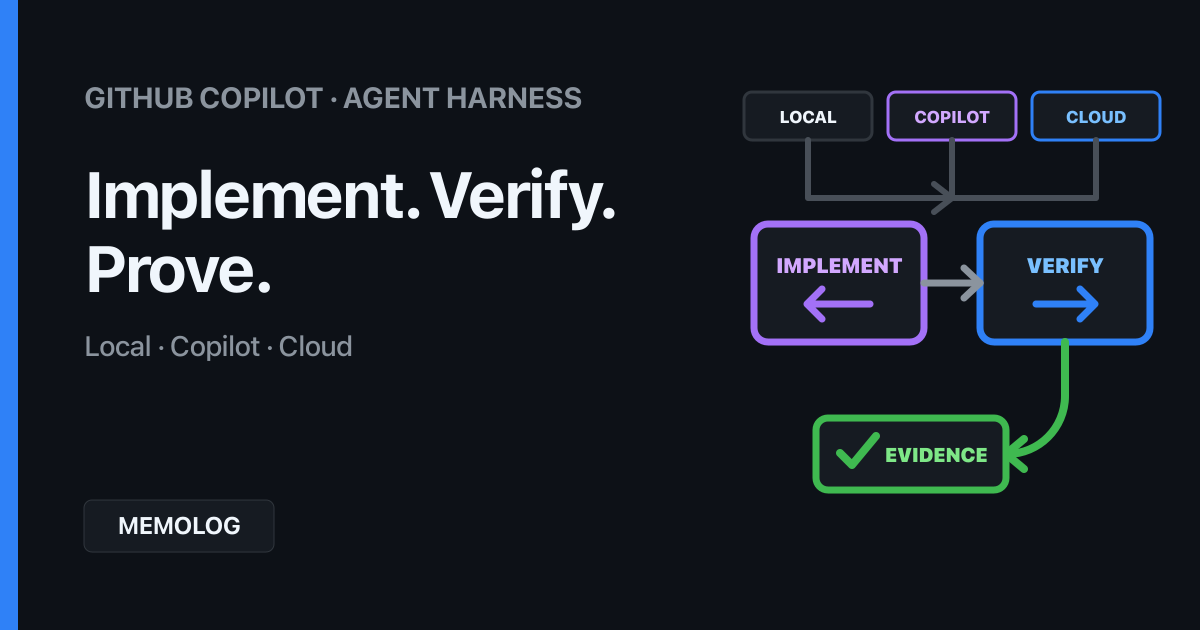
As you use GitHub Copilot (hereafter, Copilot) more, reviewing what it produces eventually becomes more work than asking it to produce something.
Recent LLMs can make broader changes and handle more information at once. As a result, workflows that require people to reread every Copilot Chat response, diff, and test result become more demanding as the AI gets faster.
What matters is not just which model you choose, but which Agent Harness runs it, who implements the changes, and who verifies them.
This article explains the differences among the Local, Copilot, and Cloud Session Targets in Visual Studio Code (hereafter, VS Code). It then compares interactive review in VS Code with a workflow that delegates review to an independent verification agent through the Copilot CLI (hereafter, CLI).
Table of Contents
- Key takeaway
- Local, Copilot, and Cloud are not labels on the same axis
- Both Local and Copilot run on the development PC
- Interactive work in VS Code makes human review easier
- The CLI makes verification easier to separate
- A verification agent alone is not enough
- A minimal separation of implementation and verification
- When to adopt a multi-agent design
- How to reduce the amount humans review
- Summary
Key takeaway
Local, Copilot, and Cloud are not simply three choices on a local-to-cloud spectrum.
- Local is the built-in harness that runs in the VS Code Extension Host. It is well suited to interactive work that closely integrates the current workspace with tools provided by VS Code and its extensions
- Copilot is the Copilot harness that runs in an Agent Host on the development PC. In addition to working in the current folder, it supports isolated autonomous work through Git worktrees, background sessions, and multiple chats
- Cloud is a target for running available Cloud Agents in a remote environment. It is well suited to independent work on a GitHub repository where changes are delivered as a Pull Request
The key to reducing review fatigue is not switching the interface from VS Code to the CLI.
In other words, the important shift is from asking the same agent to “check again” in the same conversation to a verification stage with independent context and observable completion criteria.
Local, Copilot, and Cloud are not labels on the same axis
The official VS Code documentation describes an Agent Harness as the mechanism that coordinates an agent session, including tool calls, context, and code changes.
The VS Code guide to choosing an agent harness distinguishes the Session Targets as follows.
| Session Target | Primary execution environment | Where code is handled | Best suited to |
|---|---|---|---|
| Local | VS Code Extension Host on the development PC | Current workspace | Interactive work that requires built-in VS Code tools, extension-provided tools, or models configured in VS Code |
| Copilot | Agent Host on the development PC | Current folder or a Git worktree | General development, background sessions, and Copilot-specific features |
| Cloud | Provider-managed remote infrastructure | GitHub repository and Pull Request | Independent delegation that does not require local Editor Context |
The potentially confusing point is that Local is not the only target that runs locally. Copilot, Claude, and Codex can also run on the development PC. Local is not a generic execution location; it is the name of the built-in VS Code harness.
The tool execution location and the LLM hosting location are also separate concerns. Even when an agent reads files from the development PC and runs tests in a local terminal, inference requests may go to a hosted model. Choosing Local does not make model processing local.
Both Local and Copilot run on the development PC
The difference between Local and Copilot is less about location than about the execution platform and session model.
According to the official VS Code Agent Host documentation, the Agent Host is a dedicated process that separates agents from the Extension Host. It is designed to let multiple clients access the same session, continue processing while the editor is disconnected, and expose multiple Agent Runtimes through a common session model.
| Dimension | Local | Copilot |
|---|---|---|
| Agent execution platform | Extension Host | Agent Host |
| Primary working location | Current workspace | Current folder or an isolated worktree |
| VS Code extension tools | Closely integrated | May use tools provided by a connected VS Code instance |
| How changes are handled | Traditional Keep / Undo flow for pending edits | Writes directly to the folder or worktree for diff review |
| Session model | Suited to editor-based interaction | Suited to background work, multiple chats, and shared sessions |
Neither is inherently better. Local is a good fit when you want to think through a problem together while using VS Code diagnostics, a browser, and extension-specific tools. Copilot is easier to work with when you want implementation and verification in separate sessions and, when necessary, want to isolate changes in a worktree.
Interactive work in VS Code makes human review easier
Copilot Chat in VS Code lets people and AI work in a shared context.
For example, you can look at the screen, say, “This spacing is a little too wide” or “This wording does not sound like me,” and have it revised immediately. That proximity is a major advantage when exploring UI, prose, or design, where the right answer is difficult to define in advance.
Repeating implementation and review in the same conversation, however, creates several problems.
- Assumptions made during implementation carry into the review
- Long conversations mix current requirements with earlier decisions
- The agent that made the change explains the diff through the lens of its own intent
- A person must review the conversation, diff, and command output in sequence
This is not a weakness of Copilot Chat in VS Code. The point is that a conversation for discovery and a review designed to falsify assumptions need different context.
Interactive work in VS Code is a good fit for checks such as:
- Reviewing the actual UI together to assess appearance and usability
- Using VS Code diagnostics or analysis from an extension
- Inspecting the current workspace, including uncommitted changes
- Making exploratory revisions while a person adjusts direction along the way
In this workflow, a person participates deeply as the human in the loop. The outcome is not just pass or fail; it can also inform what to build next.
The CLI makes verification easier to separate
The CLI’s advantage is not the terminal interface itself. It is that the CLI makes it easier to turn verification into reproducible commands and assign it to independent agents.
GitHub’s official documentation explains that the CLI can review changes with /review, with support for target paths and additional review instructions.
The documentation also explains that custom CLI agents run as temporary SubAgents with a Context Window separate from the main agent. Moving part of a large task into a separate context lets the main agent focus on planning and coordination.
That separation is a good fit for verification roles.
Main session
  ├─ Implementer agent: Implement the requirements
  ├─ Reviewer agent: Read only the requirements and diff
  └─ Validator agent: Run specified commands and summarize failures
You can define CLI custom agents in .github/agents/*.agent.md or ~/.copilot/agents/*.agent.md. You can name an agent explicitly, or Copilot can infer that a task matches an agent’s description and delegate it to that SubAgent.
Using the CLI does not automatically make an answer correct. Vague requirements still produce vague review results. The CLI helps because it makes it easier to specify who receives which inputs, what evidence they use, and what they must return.
A verification agent alone is not enough
If you tell a review agent only to “check whether this is correct,” it will often return little more than plausible-sounding commentary.
At minimum, define the following for a verification role.
| What to define | Example |
|---|---|
| Inputs | Requirements, diff, target files, existing tests |
| Review criteria | Requirement coverage, regressions, security, missing tests, unsupported claims |
| Evidence | File locations, commands, exit codes, reproduction steps, official documentation |
| Output | Findings ordered by severity, verified items, unverified items |
| Prohibited actions | Do not change code without first reporting the issue; do not present speculation as fact |
| Stop conditions | Required checks pass, retry limit reached, or human judgment is required |
It is especially important to separate LLM review from executable verification.
- What LLMs review well: missing requirements, design contradictions, readability, and previously unidentified risks
- What tools verify well: builds, tests, type checks, linting, dependency audits, and browser interactions
- What humans decide well: fitness for purpose, UX preferences, acceptable risk, cost, and whether to publish
Do not ask an LLM to guess whether a test will pass; have it run the test. At the same time, do not treat passing tests as proof that every requirement is met; have an independent reviewer map the implementation back to the requirements.
A minimal separation of implementation and verification
You do not need to run many agents in parallel from the start. Simply separating the implementer and reviewer roles is already useful.
1. Human defines the objective, non-negotiable constraints, and completion criteria
2. Implementer agent makes the change and runs the targeted tests
3. Requirements and diff go to an independent reviewer agent
4. Implementer agent addresses the review findings
5. Verification commands run again
6. Human reviews key findings, evidence, and residual risk
Do not give the reviewer the entire implementation conversation. The requirements, constraints, actual diff, and test results matter more than the implementer’s explanation of why it chose a particular approach.
To name a custom agent explicitly in the CLI, you could invoke it like this:
copilot --agent change-reviewer --prompt "Compare the Issue requirements with the current diff and report findings in severity order. Do not change the code; include evidence for every finding."When several independent tasks can run in parallel, the CLI also provides /fleet to distribute work across SubAgents. Forcing tasks that modify the same file or depend on each other’s decisions to run in parallel, however, increases integration cost.
Three roles are enough to start.
| Role | Responsibility |
|---|---|
| Implementer | Implement the requirements and pass the targeted checks |
| Reviewer | Independently compare the requirements with the diff and report only issues |
| Human | Decide the objective, boundaries, exceptions, and publication |
Add a Validator only when build or test output is large enough to require summarization.
When to adopt a multi-agent design
Adding agents does not improve quality in direct proportion to their number. Separation is valuable when different roles require different context, tools, or evaluation criteria.
| Situation | Good fit |
|---|---|
| Direction and preferences need to emerge through conversation | Local with a human in the loop |
| VS Code or extension-provided tools are required | Local |
| Implementation and review need separate contexts to reduce shared bias | Separate Copilot harness sessions or CLI SubAgents |
| Tests, linting, and diff review need to run repeatedly | CLI or a Copilot background session |
| Changes need isolation from current work | Copilot with a Git worktree |
| A task should start from an Issue and arrive as a PR | Cloud |
According to the official GitHub Copilot Cloud Agent documentation, a Cloud Agent uses an ephemeral GitHub Actions-powered development environment to inspect a repository, make changes, and run tests. Because the work runs on GitHub, the development PC does not need to remain on. You can delegate a task before leaving, let it run while you travel, and review the result when you arrive.
Cloud is not a good fit for tasks that require local uncommitted changes, files or services available only on the development PC, or an interactive screen. When a task can be completed from the Issue and repository alone and the team can review it through a PR, it can run independently from a person’s active work.
How to reduce the amount humans review
The goal is not to eliminate human review. The goal is to shift people’s attention from the entire generated output to the findings and evidence needed to make a decision.
A fixed final-output format makes review easier.
Status: pass / pass with risks / fail

Key findings:
- Severity, location, issue, evidence, proposed fix

Execution evidence:
- Commands run and results

Unverified items:
- What could not be checked because the environment was unavailable

Human decision required:
- UX, cost, publication, breaking changes, and similar decisions
With this structure, people can focus on failed checks and decision points instead of reading hundreds of lines of logs.
In the earlier article, “Combining Human-in-the-loop and Loop Engineering in Memolog’s AI Development,” I described an outer loop in which humans and AI discover the right answer and an inner loop in which AI repeatedly implements and verifies changes.
Choosing a harness and separating verification agents are concrete ways to design that inner loop.
- Use Local for humans and AI to discover objectives and points of friction together
- Use Copilot or the CLI to separate implementation and verification into independent tasks
- Delegate work with sufficiently clear boundaries to Cloud at the Issue and PR level
- Return to a human when evidence is insufficient or an important decision is required
Designing these boundaries is the foundation for moving from human-in-the-loop to human-on-the-loop and then to multi-agent workflows.
Summary
The differences among Local, Copilot, and Cloud are not simply differences in interface or execution location. They involve which harness coordinates the session, where tools run, and how changes are isolated.
- Local is well suited to interactive exploration closely integrated with VS Code
- Copilot is well suited to Agent Host-based background execution, worktrees, and multiple sessions
- Cloud is well suited to work that runs independently on GitHub and arrives as a PR
- The CLI makes it easier to separate verification into reproducible commands and independent SubAgents
- Switching to the CLI does not guarantee correctness; inputs, criteria, evidence, output, and stop conditions still need to be designed
- Separate the implementer and reviewer contexts, and run tests instead of guessing
- Humans should review key findings, execution evidence, unverified items, and residual risk instead of the entire output
As LLMs become more capable, asking people to follow every detail of every output becomes less sustainable. The next step is not merely to read more carefully.
Build a system in which AI can verify the work, then have people judge the evidence and exceptions. Shifting attention from model prompts to the harnesses and loops in which agents operate turns Copilot from a source of additional review work into a team that shares responsibility for producing verifiable results.