Work IQ, Fabric IQ, Foundry IQ, and Web IQ: Differences and Use Cases
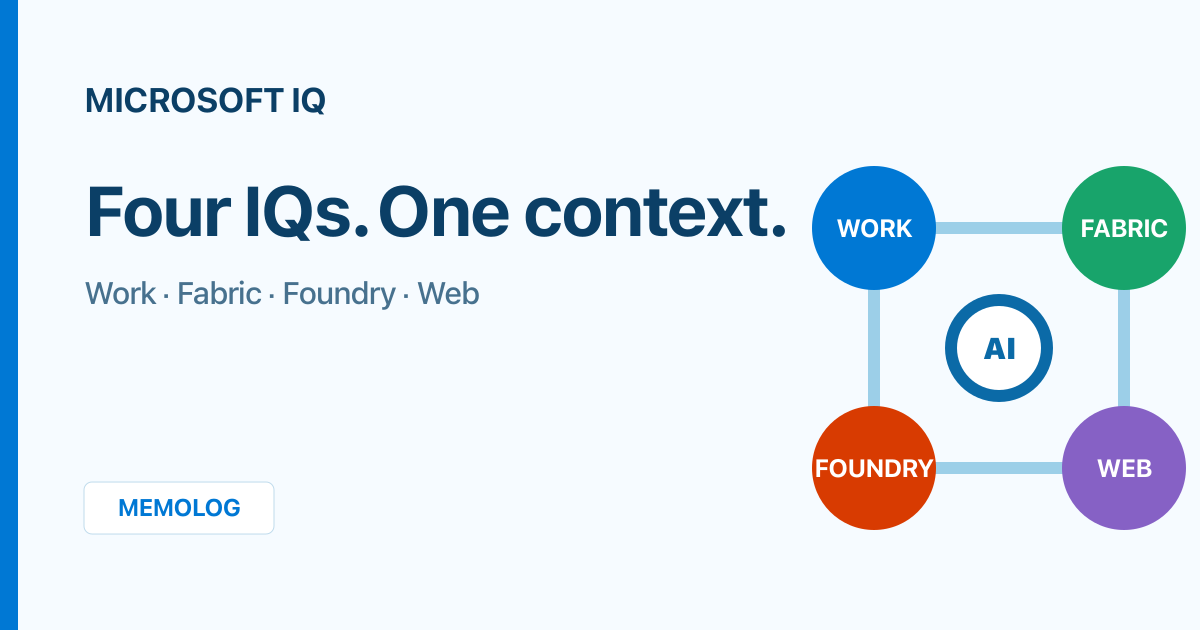
If you follow Microsoft’s AI announcements, you will encounter several similar names: Work IQ, Fabric IQ, Foundry IQ, and Web IQ. They all provide context to AI agents, but they do not handle the same information.
This article explains the four capabilities and their differences, then uses a customer inquiry agent to show where each IQ fits. By the end, you should be able to decide which IQ to evaluate first for your use case and how to combine them.
Table of Contents
- The short answer
- What is Microsoft IQ?
- How the four IQs differ
- Work IQ handles work context
- Fabric IQ handles business state
- Foundry IQ handles organizational knowledge
- Web IQ handles current public information
- Sample architecture: customer inquiry agent
- Choose by use case
- What to check before adoption
- Summary
- Official sources
The short answer
The easiest way to distinguish the four is to focus on the context you want the agent to understand.
| Service | What the agent should understand | Typical information | Example question |
|---|---|---|---|
| Work IQ | How people work | Email, meetings, chats, files, people, schedules | ”Who discussed what in this case?” |
| Fabric IQ | The current state of the business | Customers, orders, inventory, equipment, KPIs, real-time events | ”What is happening based on inventory and shipping status?” |
| Foundry IQ | What the organization considers authoritative knowledge | Policies, manuals, FAQs, technical documents | ”How should we respond under the policy, and where is the supporting evidence?” |
| Web IQ | What is happening outside the organization now | News, public websites, current market and product information | ”According to information published today, what has changed?” |
The basic selection criteria are straightforward.
- Use Work IQ for email, meetings, and chats in Microsoft 365
- Use Fabric IQ to interpret business data in OneLake or Power BI through shared business terminology
- Use Foundry IQ to answer from multiple documents or data sources with citations
- Use Web IQ to search the current public web and supplement answers with source URLs
This is not a four-way either-or decision. Combining the capabilities gives an agent access to internal and external context. In customer support, for example, Work IQ can retrieve communications involving the employee responsible for the case, Fabric IQ can check the order’s current status, Foundry IQ can verify the return policy, and Web IQ can check the carrier’s latest public service alerts.
What is Microsoft IQ?
Microsoft IQ is an integrated intelligence layer that grounds Copilot and AI agent responses in a shared, continuously updated understanding of an organization.
As of August 6, 2026, the official documentation describes Microsoft IQ as four capabilities.
| Capability | Context provided |
|---|---|
| Work IQ | An understanding of employee work, including people, collaboration, and workflows |
| Fabric IQ | The current state of the business, including business entities, relationships, properties, actions, and rules |
| Foundry IQ | Organizational knowledge, including policies, authoritative documents, and reusable knowledge bases |
| Web IQ | New real-world information from the web |
Their common purpose is to give agents internal and external information and context that a general-purpose model does not know by default. They differ in where they retrieve information, how they assign meaning to it, and which actions they can perform after answering.
How the four IQs differ
Before considering implementation, compare their main differences.
| Dimension | Work IQ | Fabric IQ | Foundry IQ | Web IQ |
|---|---|---|---|---|
| Primary role | Workplace context and actions | Meaning and state of business data | Searchable organizational knowledge | Grounding in the current public web |
| Main data domain | Microsoft 365 and connected business systems | OneLake, Power BI, real-time and operational data | Azure Blob Storage, SharePoint, OneLake, the web, and other sources | Public web indexed by Bing and specified domains |
| Core mechanisms | Chat, Context, Tools, Workspaces | Semantic models, ontologies, Graph, and multiple Agents | Azure AI Search as the foundation, Knowledge Bases, Knowledge Sources, Agentic Retrieval | Web Search, Grounding with Bing Search |
| Strength | Find, reason over, and act on work within a user’s permissions | Elevate tables and columns into business concepts such as customers and orders | Decompose complex questions and answer from multiple sources with citations | Search public information beyond the model’s knowledge cutoff and cite URLs |
| Typical users | Employees who use Microsoft 365 and the Agents that support their work | People and Agents involved in data, analytics, and business operations | Teams that build and operate Agents and RAG applications | Agents and applications that need current external information |
| Can be used independently | Yes | Yes | Yes | Yes |
Platform and licensing prerequisites
When planning adoption, confirm both the context you need and the services and conditions behind each access path.
| IQ | Platform and key prerequisites |
|---|---|
| Work IQ | Built on Microsoft 365. The Work IQ API can be used on a pay-as-you-go basis with Copilot Credits independently of a Microsoft 365 Copilot license, while Microsoft 365 Copilot experiences and some MCP-based access paths require a Microsoft 365 Copilot license |
| Fabric IQ | Built on Microsoft Fabric. In addition to a Microsoft Fabric license that provides access to the target Item, features may require tenant settings, a workspace, and Capacity |
| Foundry IQ | Requires an Azure AI Search Knowledge Base. You can configure it in the Microsoft Foundry portal or integrate it with Foundry Agent Service, but neither is required |
| Web IQ | Uses Web grounding tools in Microsoft Foundry Agent Service. It requires a Basic or Standard Agent environment, a supported Azure OpenAI model deployment, and Tool configuration. General Web Search does not require an additional Bing resource |
Required licenses, Capacity, and roles vary by API, Item, Tool, and release stage. Before production adoption, verify the prerequisites and pricing for the specific path you plan to use.
Some boundaries overlap. SharePoint, for example, is available through Work IQ as files a user works with and through Foundry IQ as a Knowledge Source for a Knowledge Base.
The deciding factor is not storage location. It is whether the workflow needs user context and actions as part of the work, or managed knowledge that multiple Agents can reuse.
Work IQ handles work context
Work IQ is a workplace intelligence layer that enables Agents to access organizational data, context, and tools across Microsoft 365 and external systems and use them for reasoning.
The official documentation describes Work IQ through four elements.
| Element | Role |
|---|---|
| Chat | Conversational intelligence, including conversation continuity and delegation between Agents |
| Context | Assembles organizational data into context an Agent can use |
| Tools | Retrieves Microsoft 365 data and performs create and update actions |
| Workspaces | Retains intermediate data and outputs for long-running processes |
Work IQ is available through standard methods such as A2A, MCP, and REST, and it can work with email, calendars, files, people, chats, sites, and more. Each request runs in the context of a specific user and is limited to what that user can view or change.
When Work IQ fits
- Summarize customer emails and Teams meetings, then propose next actions
- Check attendees’ calendars and create a follow-up meeting
- Reconstruct a case’s history across past chats, files, and information about the people responsible
- Let an Agent work only with Microsoft 365 data the user can access
A real example: extracting action items from Teams meetings
I use VS Code, GitHub Copilot, and Work IQ together to extract the day’s action items and tasks from records of Teams meetings I attended. I cannot publish the actual output because it contains customer information, but the workflow is as follows.
Rather than forwarding the user’s request directly to Work IQ, the GitHub Copilot Agent interprets the intent and selects an available Work IQ MCP tool and its arguments. VS Code acts as the MCP client and sends a structured tool call to the Work IQ MCP server. GitHub Copilot then organizes the returned Microsoft 365 context into Markdown.
Available tools on the Work IQ MCP server include ask, which sends natural-language questions to Microsoft 365 Copilot; fetch, which retrieves Microsoft 365 entities; and call_function, which invokes functions such as search. The selected tool depends on the request and the tools available, so the diagram does not assume a single fixed tool.
- Find the meetings I attended that day that have already ended
- Check the available records for each meeting, including transcripts, minutes, and meeting chats
- Summarize the overview, key points, decisions, and confirmed items for each meeting
- Extract each action item with its description, owner, and deadline, then consolidate the day’s priorities
- For meetings without records, or items whose owner or deadline cannot be identified, do not guess; mark them as “unable to confirm” or “needs confirmation”
This workflow produces a single Markdown file showing what was decided that day and which actions remain for me or my team, without requiring me to open each meeting and reread its notes. Because the output is in VS Code, I can review it locally, correct or add details, and then transfer the results to task management.
Transcripts may contain speech recognition errors. Work IQ and GitHub Copilot output should not be shared externally or entered into a formal task system without a person verifying owners, deadlines, and proper names. It is also important not to infer a discussion from the meeting title when no meeting record exists.
The key is that Work IQ does more than search documents: it connects retrieval to action while preserving the context of whose work it is.
Fabric IQ handles business state
Fabric IQ is a Microsoft Fabric capability that unifies analytical, real-time, and operational data in OneLake and makes it interpretable in business terms.
A database may contain columns named customer_id and shipment_status, but that alone does not guarantee that an Agent will consistently understand the business relationship: a customer places an order, the product is shipped, and a delay affects revenue.
Fabric IQ uses Power BI semantic models and ontologies to define and reuse concepts such as:
- Entities: customer, order, product, store, shipment
- Properties: order amount, inventory quantity, shipment status
- Relationships: a customer places an order, an order contains products, a store holds inventory
- Rules and actions: propose replenishment when inventory falls below a threshold
OneLake is the foundation of Fabric IQ. It combines trusted KPIs from Power BI semantic models, shared business vocabulary from ontologies, a Graph for traversing relationships, Data Agents for natural-language analysis, and Operations Agents for monitoring real-time state.
A fictional sales, shipping, and accounting architecture
To make Fabric IQ concrete, consider an online retailer with three business systems for sales, shipping, and accounting. Each system uses an independent Azure SQL Database. The existing systems continue to handle core transactions such as order intake, shipment arrangements, and payment confirmation.
The goal is not to replace the individual systems. It is to answer cross-department questions such as:
- Which department is currently processing order
ORD-12345? - Are any orders through inventory confirmation but not yet scheduled for shipment?
- Are any orders scheduled for shipment but missing an estimated arrival date?
- Are any shipped orders still unpaid?
- Have any orders gone without progress for longer than a defined period?
In this architecture, meaning is added to the data in the following sequence.
- Continuously replicate the three Azure SQL Databases into OneLake with Fabric Mirroring
- Create an integrated order-level view or table using a shared Order ID, or a mapping table that relates the IDs used by each system
- Define business concepts and relationships such as
Customer,Order,InventoryAllocation,Shipment, andPaymentin an Ontology - Let users and Agents check status with business terms such as “order,” “shipment,” and “payment” instead of physical table names
Mirroring does not move the Azure SQL Database itself or its database files into OneLake. It replicates source data as analytics-oriented Parquet/Delta Tables and automatically creates a read-only SQL analytics endpoint. The source Azure SQL Database continues to process transactions, while OneLake supports cross-system search, analysis, and monitoring.
However, Mirroring alone only places the three business tables side by side. To determine an order’s current position consistently, propagate a common Order ID through all systems or maintain a mapping among the sales, shipping, and accounting IDs. Avoid inferred joins based on names, amounts, or order timestamps because they can produce false matches.
An Ontology can define meanings such as “a Customer creates an Order” and “an Order is related to a Shipment and Payment,” then bind those definitions to actual data in OneLake. Power BI, Agents, and monitoring processes can then reuse the same business terms and relationships.
Choose the entry point based on the question
Even with the same integrated data, the best entry point depends on the task.
| Goal | Best fit | Why |
|---|---|---|
| Return a fixed set of fields for an order number | SQL analytics endpoint | A fixed lookup can be expressed explicitly in T-SQL |
| Ask a question such as “Show me orders waiting for shipment” | Fabric Data Agent | It generates SQL, DAX, KQL, and other queries, then returns a natural-language answer without modifying data |
| Continuously monitor orders that have stalled for a defined period | Operations Agent | It evaluates rules periodically and can trigger Teams notifications or approval-based actions |
| Standardize concepts and relationships across departments | Fabric IQ Ontology | It elevates data into reusable business terms and relationships across experiences |
Fabric Data Agent is available to external Agents, including custom applications, but its data access is read-only. Updates such as order changes and shipment arrangements should go through the existing systems’ official APIs or workflows rather than writing directly from Fabric to the source databases.
As of August 6, 2026, Fabric Data Agent does not support non-English questions, instructions, or examples. A Japanese-language bot therefore needs an architecture that translates inter-Agent communication into English, along with separate response-quality validation.
Design issues that remain
- Data freshness: Mirroring for the three systems may not complete at the same time, so include each system’s last-updated timestamp in the answer
- Status determination: Define business rules explicitly, such as “inventory confirmed and shipment not registered means awaiting shipment integration”
- Access control: Do not expose more customers’ personal information or payment data than necessary through the Ontology or Agents; apply user permissions, RLS, CLS, and Purview policy
- Separation of responsibilities: Fabric handles cross-system analysis, search, visualization, and monitoring, while existing systems remain responsible for updating core transactions
This example makes clear that Fabric IQ is not simply a “multi-database search API.” Mirroring and integration make the data available, and an Ontology adds business meaning and relationships. Only then can people and Agents interpret the data as a business state such as “this order is awaiting payment.”
When Fabric IQ fits
- Standardize definitions such as “customer,” “order,” and “shipment” across reports and Agents
- Analyze the impact of delays and failures across multiple departments’ data
- Monitor real-time sales, inventory, equipment, and other data, then propose a response
- Make metrics and hierarchies defined in Power BI available to Agents
As of August 6, 2026, Fabric Data Agent and Operations Agent are GA, while the Fabric IQ workload, Ontology, and other capabilities include preview features. Before production adoption, verify the release status of each Item you plan to use.
Foundry IQ handles organizational knowledge
Foundry IQ is a managed knowledge layer that combines multiple Knowledge Sources in a Knowledge Base and lets Agents search organization-specific information according to their permissions. It does not replace Azure AI Search. It builds on Azure AI Search and packages its search capabilities as reusable knowledge for Agents.
It has three primary components.
| Component | Role |
|---|---|
| Knowledge Source | Connects to indexed or remote content |
| Knowledge Base | Top-level resource that groups the Knowledge Sources to search and the search parameters |
| Agentic Retrieval | Decomposes questions, searches in parallel, semantically reranks results, and combines answers |
For indexed Knowledge Source documents, Foundry IQ automates chunking, vector embedding, and metadata extraction, and it can configure incremental updates through scheduled indexer runs. It can also perform keyword, vector, and hybrid search across indexed and remote Knowledge Sources. Search results can include citations, allowing an Agent’s answer to be traced back to the source documents.
Another important benefit is that multiple Agents can share one Knowledge Base. Instead of building a separate RAG pipeline for every Agent that searches policies, teams can reuse a managed knowledge layer.
It does not replace Azure AI Search
Adopting Foundry IQ is not a migration away from Azure AI Search. Foundry IQ Knowledge Bases and Agentic Retrieval are created in Azure AI Search, which remains responsible for indexing and retrieval.
If an existing Azure AI Search index meets the Agentic Retrieval requirements, you can reuse its text and vectors as a Search Index Knowledge Source. The architecture is easier to understand in these terms:
Foundry Agent / Custom App
          ↓
Foundry IQ Knowledge Base
  ├─ Knowledge Source A
  ├─ Knowledge Source B
  └─ Knowledge Source C
          ↓
Azure AI Search
The value of adding Foundry IQ is not a new search engine. It is the ability to move search orchestration that was previously implemented separately in each Agent or RAG application into the Knowledge Base.
- Decompose a complex question into multiple subqueries and search them in parallel
- Select among multiple Knowledge Sources based on the question
- Semantically rerank and combine search results before returning them to the Agent
- Reuse the same Knowledge Base from multiple Agents and custom applications
- Return citations and search-process details in a format designed for Agents
For example, answering “What are the requirements for requesting paid leave, and which exceptions apply only to employees working abroad?” requires separate searches of the HR policy and overseas employment policy, followed by combining the results. A conventional single Azure AI Search query can support this if the application implements the orchestration. Foundry IQ Agentic Retrieval handles question decomposition, source selection, and result integration as part of the Knowledge Base retrieval flow.
Not every search needs to move to Foundry IQ.
| Requirement | Best fit | Why |
|---|---|---|
| Simple lookup by product number or document ID | Use Azure AI Search directly | One query is sufficient, with low latency and a simple architecture |
| Fine-grained control over query, filter, and ranking | Use Azure AI Search directly | Existing search pipelines and controls remain intact |
| Complex questions with conversational context | Foundry IQ | Supports question decomposition and multiple retrievals |
| Search across multiple indexes or information sources | Foundry IQ | Centralizes Knowledge Source selection and result integration |
| Share the same organizational knowledge across multiple Agents | Foundry IQ | Reuses the Knowledge Base as a common retrieval endpoint |
Agentic Retrieval uses LLM-based query planning and multiple searches, so it adds latency compared with a conventional single query. Depending on the architecture, charges may include Azure OpenAI input and output tokens in addition to Azure AI Search retrieval tokens. A practical approach is to connect an existing Azure AI Search index as a Knowledge Source, compare answer quality, citations, response time, and cost with the same evaluation questions, and then decide where to adopt it.
When Foundry IQ fits
- Answer questions across internal policies, product manuals, and FAQs with citations
- Combine multiple sources such as SharePoint, Blob Storage, OneLake, and the web
- Decompose complex questions into multiple searches and combine the results
- Use a shared Knowledge Base from multiple Agents or custom applications
As of August 6, 2026, Foundry IQ includes both generally available and preview features, and availability varies by the Azure AI Search REST API version in use. The Agentic Retrieval features available through the Microsoft Foundry portal and Azure portal are also in preview.
Web IQ handles current public information
The official Microsoft IQ documentation describes Web IQ as a capability that gives AI systems and Agents new real-world information from across the web.
Its implementation uses Web grounding tools in Microsoft Foundry Agent Service. The Agent identifies missing information, creates a search query, retrieves results from Bing, integrates them into its answer, and provides the source URLs.
The main options are:
| Tool | Characteristics | Availability as of August 6, 2026 |
|---|---|---|
| Web Search | The easiest option to start with; Microsoft manages the Bing resource | GA |
| Grounding with Bing Search | You create the Bing resource and can configure result count, freshness, market, language, and other parameters | GA |
| Domain restrictions with Bing Custom Search | Predefines allowed and blocked domains to limit the search scope | Using it from Web Search is GA; Grounding with Bing Custom Search is preview |
When Web IQ fits
- Research today’s news, market trends, and other information newer than the model’s knowledge cutoff
- Check current information published by carriers, manufacturers, and government agencies
- Compare competitors’ public product pages and answer with source URLs
- Limit external searches to approved official domains
How it differs from Foundry IQ
Foundry IQ can also use the public web as a Knowledge Source, but its central purpose is to combine multiple information sources into a managed Knowledge Base that multiple Agents can reuse.
Web IQ, by contrast, centers on searching the public web at query time for current information. Use Foundry IQ to consistently reference policies or documents selected and managed by your organization. Use Web IQ to check current news or the present status of an external service.
One potentially confusing detail is that Microsoft Foundry can be used to implement Web IQ. The architecture I created here does not use a Foundry IQ Knowledge Base. It connects Web Search as a Tool to a Prompt Agent in Microsoft Foundry Agent Service. In short, Microsoft Foundry is where the Agent is built, while Web IQ is the capability given to it.
The Web IQ architecture I tested in Microsoft Foundry
I built the following proof of concept in Microsoft Foundry.
| Component | What I created | Role |
|---|---|---|
| Foundry account / project | A project for web research | Manages the Model, Tool, and Agent |
| Model deployment | gpt-5-mini | Creates search queries, organizes information, and generates answers in Japanese |
| Toolbox | A toolbox that includes Web Search | Searches the public web indexed by Bing |
| RemoteTool connection | A toolbox connection that uses a User Entra token | Lets the Agent invoke the Tool without storing a key or secret |
| Prompt Agent | An Agent that requires Web Search as a Tool | Distinguishes official announcements, reporting, and speculation, then answers with URL citations |
I instructed the Agent to use Web Search before answering, distinguish official announcements from reporting and unverified information, attach URLs to important claims, and ignore instructions found in search results. I also instructed it not to send secrets, personal information, or internal-only information in search queries.
The flow is as follows.
User
  ↓
Microsoft Foundry Prompt Agent (gpt-5-mini)
  ↓
Web Search Toolbox
  ↓
Public web indexed by Bing
  ↓
Japanese response + source URLs
This architecture has no Foundry IQ Knowledge Base or Azure AI Search index. Instead of registering authoritative organizational knowledge in advance, it searches the public web when a question arrives.
Results from testing TWICE contract renewal information
In the proof of concept, I asked for information about TWICE’s contract renewals as of August 6, 2026. The prompt requested a timeline with source URLs that separated official JYP Entertainment announcements, reporting by major Korean media, and other observations or speculation.
The Agent ran Web Search multiple times and completed successfully. Its main findings were:
| Category | How the Agent summarized it | Verification status |
|---|---|---|
| Official JYP information | No announcement confirming completion of the contract renewals could be found in the official TWICE notices | No completion announcement found on the official site |
| Major Korean media | News1 reported that Tzuyu had agreed not to renew her contract with JYP | An exclusive media report |
| Reporting on JYP’s position | The Chosun Daily reported that JYP said discussions were ongoing and it would provide an update once a decision was final | Attributed to JYP in reporting, not confirmed in a primary source published by JYP |
| Other observations | Articles and posts about members moving to other agencies or establishing individual agencies | Unverified because there was no official announcement |
The Agent concluded that it could not find an official JYP announcement confirming completion of the contract renewals. The furthest it could go was JYP’s reported position that discussions were ongoing. Reports about Tzuyu and other members’ next steps remained unverified until JYP or the members made a formal announcement.
This result showed that Web IQ is well suited to finding information newer than a model’s knowledge cutoff and organizing multiple public sources into a timeline with URLs. A URL, however, does not guarantee information quality. In this case, JYP’s position came from comments reported by the media rather than a primary source on its official website. In production, sources should be evaluated in this order: primary sources on official domains, major media outlets, aggregation sites, and personal blogs. When a primary source cannot be confirmed, the answer should explicitly say so.
Web grounding tools operate through public endpoints and do not honor VPN or private endpoint boundaries. Data submitted for search also leaves the Azure compliance boundary and Geo boundary. Do not place internal information directly in search queries. Before adoption, review the terms of use, data boundaries, and administrator controls.
Sample architecture: customer inquiry agent
Consider a customer inquiry Agent for a retailer. A customer asks:
The order I asked about yesterday still has not arrived. Where is it now, and can I cancel it?
One type of information is not enough to answer accurately.
| Step | Context needed | IQ used | What the Agent does |
|---|---|---|---|
| 1 | Yesterday’s conversation, customer email, employee responsible for the case | Work IQ | Identifies the order and its history from email and meetings the user can access |
| 2 | Current order, inventory, and shipment status | Fabric IQ | Follows the relationships among the customer, order, and shipment to determine shipping status and the impact of any delay |
| 3 | Cancellation policy, return conditions, exceptions | Foundry IQ | Searches the Knowledge Base for the applicable terms and returns citations to the supporting documents |
| 4 | Public carrier outage and delay information | Web IQ | Searches current public information and supplements the status with source URLs |
| 5 | Response, communication, and follow-up work | Work IQ | Drafts a response and, when needed, sends an email or creates follow-up work |
The logical architecture looks like this.
User
  ↓
Customer support agent
  ├─ Work IQ    - Email, meetings, owners, calendar, actions
  ├─ Fabric IQ  - Customers, orders, inventory, delivery, real-time status
  ├─ Foundry IQ - Cancellation policy, returns, product manuals, citations
  └─ Web IQ     - Delivery disruptions, news, public service information
The important point is not to duplicate the same information across all four IQs. Each should provide the context it handles best. The Agent invokes the capabilities required for the question and assembles the final answer.
Start small
You do not need to adopt all four at once.
- Select the one area with the highest value and the best-prepared data
- Validate answer quality and access control in that area
- Identify the missing context and add the next IQ
If return-policy questions are common, for example, start with Foundry IQ. If most questions concern shipping status and Fabric already contains order and shipment data, start with Fabric IQ. Start with Work IQ when you need to reconstruct a case from the responsible employee’s email or meetings, or Web IQ when current external information is essential.
Choose by use case
| Goal | Evaluate first | Why |
|---|---|---|
| Summarize today’s priorities from my email and meetings | Work IQ | The task centers on personal work context and Microsoft 365 actions |
| Review a meeting and schedule the next one | Work IQ | It connects context retrieval to a calendar action |
| Investigate an inventory shortage through relationships among stores, products, and shipments | Fabric IQ | It handles relationships and current state across business entities |
| Monitor equipment data and propose a response to anomalies | Fabric IQ | It handles real-time data and business rules |
| Search internal policies and answer with supporting links | Foundry IQ | It requires a managed Knowledge Base and citations |
| Use multiple product manuals in a shared support Agent | Foundry IQ | It combines multiple Knowledge Sources into a reusable knowledge layer |
| Research news or market information announced today | Web IQ | It requires public information newer than the model’s knowledge cutoff |
| Check official outage or recall information with URLs | Web IQ | It requires current external status and source references |
| Answer with a customer case’s history, current state, applicable policy, and external conditions | Combine all four | It requires work context, business data, organizational knowledge, and current public information |
Do not choose based only on where the data is stored. Even for a SharePoint document, use Work IQ when it must be read or written as part of a user’s workflow. Use Foundry IQ when it should be indexed as authoritative organizational knowledge and shared by multiple Agents. Decide based on purpose.
What to check before adoption
1. Which information is authoritative?
Before building an Agent, decide whether email, business data, or policy is authoritative for each decision. Even with a Fabric IQ Ontology or Foundry IQ Knowledge Base, answer quality will remain unstable if source-data ownership and update responsibility are unclear.
2. Whose permissions apply?
Connection methods, execution identities, and data-flow boundaries differ by IQ. Work IQ specifically handles work context for an individual user. Web IQ’s Web grounding tools, in contrast, use public endpoints, and search data leaves the Azure compliance boundary. Do not stop after a successful proof of concept. Confirm who can access what in production and which data may be sent to external search.
3. How will you verify the evidence behind an answer?
Design for traceability through Foundry IQ citations, Fabric IQ semantic models and ontologies, Work IQ audit logs, and Web IQ source URLs. Evaluate not only whether the Agent’s writing sounds natural, but also its underlying sources, permissions, freshness, and reproducibility.
4. How much preview functionality can you accept?
As of August 6, 2026, parts of Fabric IQ and Foundry IQ, along with some connection methods, are in preview. General Web Search in Web IQ is GA, while Grounding with Bing Custom Search is in preview. Preview features may have limited functionality or SLAs, so check the official documentation for the release status of every Item, Tool, and API version you plan to use and determine whether it meets production requirements.
Summary
Work IQ, Fabric IQ, Foundry IQ, and Web IQ have similar names, but they provide different context to Agents.
- Work IQ handles work context such as people, email, meetings, chats, and files
- Fabric IQ handles business state and meaning such as customers, orders, equipment, and KPIs
- Foundry IQ handles reusable organizational knowledge such as policies, manuals, and FAQs
- Web IQ handles current public information such as news, public websites, and external services
Start by asking what the Agent is missing: work history, the meaning of business data, authoritative knowledge, or current public information. If one capability is not enough, combine them without duplicating their roles.
Do not choose a product by the IQ name. Choose by the type of context you need.
Official sources
- Microsoft IQ documentation
- Work IQ overview
- Work IQ API overview
- What is Fabric IQ?
- Understand Microsoft Fabric licenses
- What is ontology (preview)?
- Mirroring Azure SQL Database
- Fabric data agent concepts
- Create and configure operations agents
- What is Foundry IQ?
- Foundry IQ frequently asked questions
- Web grounding tools overview